
Please choose a list
The folder is empty
Sale
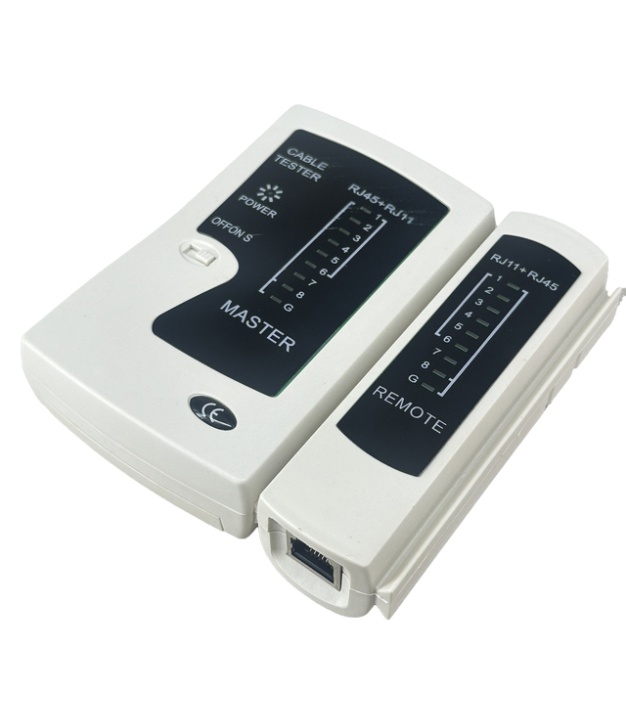
LAN network cable tester
Available Qty:
13
SKU: A-8298
OEM
Suitable to use with RJ45 RJ11 RJ12 Twisted Pair Connection CAT5/CAT6/CAT7
$1.89
was
Have questions?
Expert help just one click away
Contact Us
Product Description
Specifications
Check cable connections - Check whether the cable heads are arranged correctly and check for cable breaks
Suitable to use with RJ45 RJ11 RJ12 Twisted Pair Connection CAT5/CAT6/CAT7,Telephone cable (RJ11, RJ12)
Main tester: 1-2-3-4-5-6-7-8-G
Remote tester: RJ45 1-2-3-4-5-6-7-8-G
1-2-3-4-5-6 RJ11
Durable
Easy to use
What the numbers mean
Normal cable (straight-through CAT5/CAT6): LEDs on the Main and Remote units should light up in order 1 → 2 → 3 → 4 → 5 → 6 → 7 → 8.
Cross-over cable: LEDs still all light up, but the order may cross (e.g. pin 1 on one side goes to pin 3 on the other).
Faulty cable:
Open (broken wire) → that number won’t light up at all.
Short (two wires touching) → two LEDs may light together or out of order.
Mis-wire → LEDs sequence doesn’t match pin-to-pin.
How it works
You plug one end of the cable into the Main unit and the other end into the Remote unit.
When you turn it on, LEDs labeled 1–8 (and sometimes “G” for ground/shield) light up in sequence.
Each number corresponds to one conductor inside the cable:
1 → Pin 1
2 → Pin 2
… up to 8 → Pin 8
G → Ground/Shield (only relevant for shielded Ethernet cables, e.g. STP or FTP).
Tips
Use Slow mode to see the blinking lights more clearly.
Use Fast mode when you need to quickly check multiple wires.
More Information
| Same Spec Items | - |
|---|---|
| SKU | A-8298 |
| Manufacturer | OEM |
| MPN | A-8298 |
| OG image | no_selection |
| Can be used with | - |
Customer Ratings
There are no reviews yet